Tasks in one app, notes in another?
Switching between apps scatters your focus and your plans.
The GabAi way
One app for tasks, calendar, wallet, and notes — with a chatbot that answers questions about all of them.
GabAi brings your tasks, calendar, wallet, and notes together — with a built-in chatbot you can ask about your schedule, deadlines, and spending.
v1.0.0 · 62 MB · Android 7.0+
Android only. iOS coming soon.
The problem
Switching between apps scatters your focus and your plans.
The GabAi way
One app for tasks, calendar, wallet, and notes — with a chatbot that answers questions about all of them.
Without timely reminders, important things slip through the cracks.
Allowance runs out fast when nothing keeps track of it.
Planning takes time you don't have — so the day plans you instead.
The solution
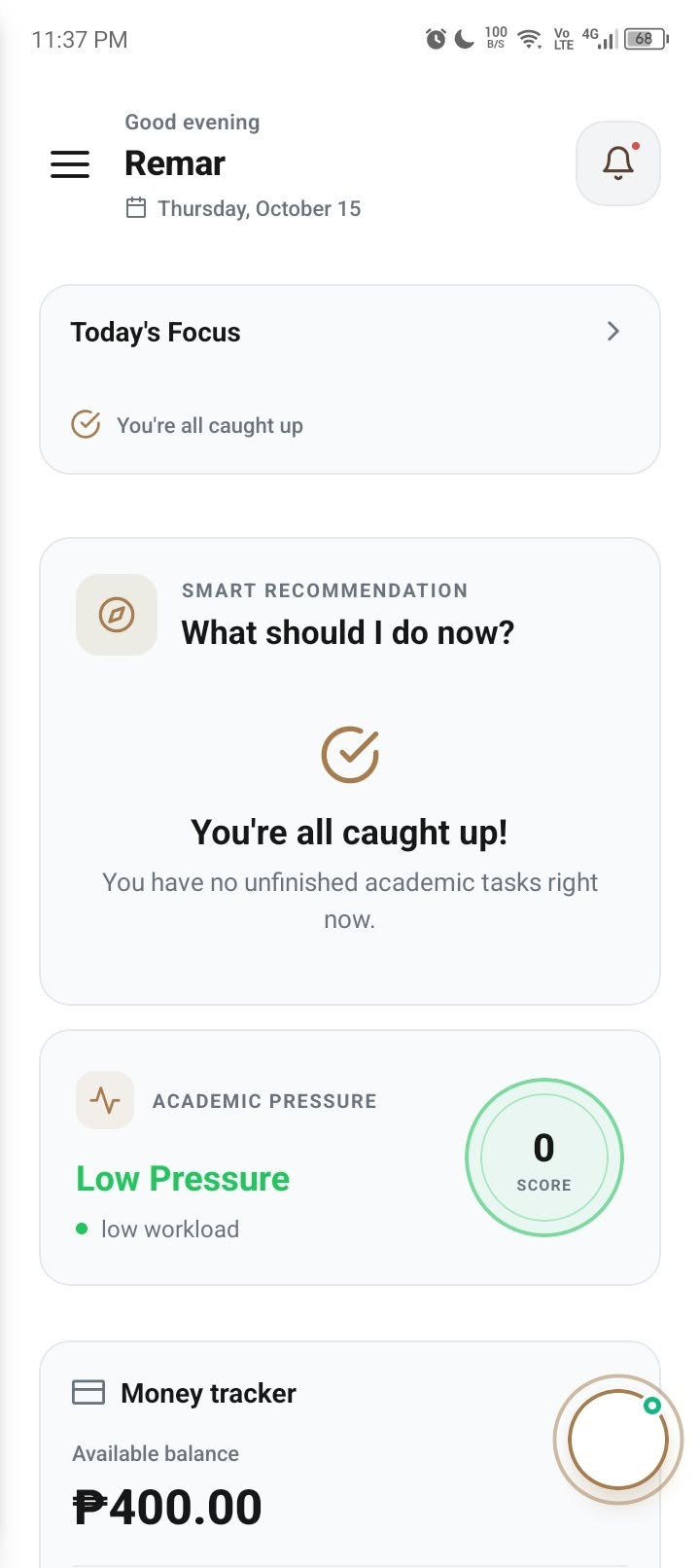
Take a look inside GabAi.
Your day at a glance
Features
Everything GabAi does to help you organize your day, your money, and your ideas.
Ask about your tasks, classes, deadlines, and spending — and get quick answers.
Create, prioritize, and complete tasks with due dates and reminders.
See your schedule and upcoming events in one clear view.
Track your balance, money in like allowance and scholarships, and money out for food, transport, and school.
Capture ideas and keep important information close at hand.
Track completed tasks and activity to see how you are doing.
Timely reminders so deadlines and events never sneak up on you.
Lock the app with your fingerprint or face so only you get in.
How it works
Install the APK on your Android phone and sign in to your account.
Put everything in one place — your to-dos, schedule, money in and out, and notes.
Get reminders, insights, and quick answers from the chatbot whenever you need them.
Install guide
GabAi isn't on the Play Store yet, so you install it directly. It takes under a minute.
Tap Download APK
The file saves to your phone's Downloads folder.
Open the file from Downloads
Tap the notification, or open it from your Files app.
Allow "Install unknown apps" if asked
Android asks once — allow it for your browser or Files app.
Tap Install
Installation takes only a few seconds.
Open GabAi and sign in
You're all set — start organizing your day.
v1.0.0 · 62 MB · Android 7.0+
FAQ